
FastAPI 表单数据
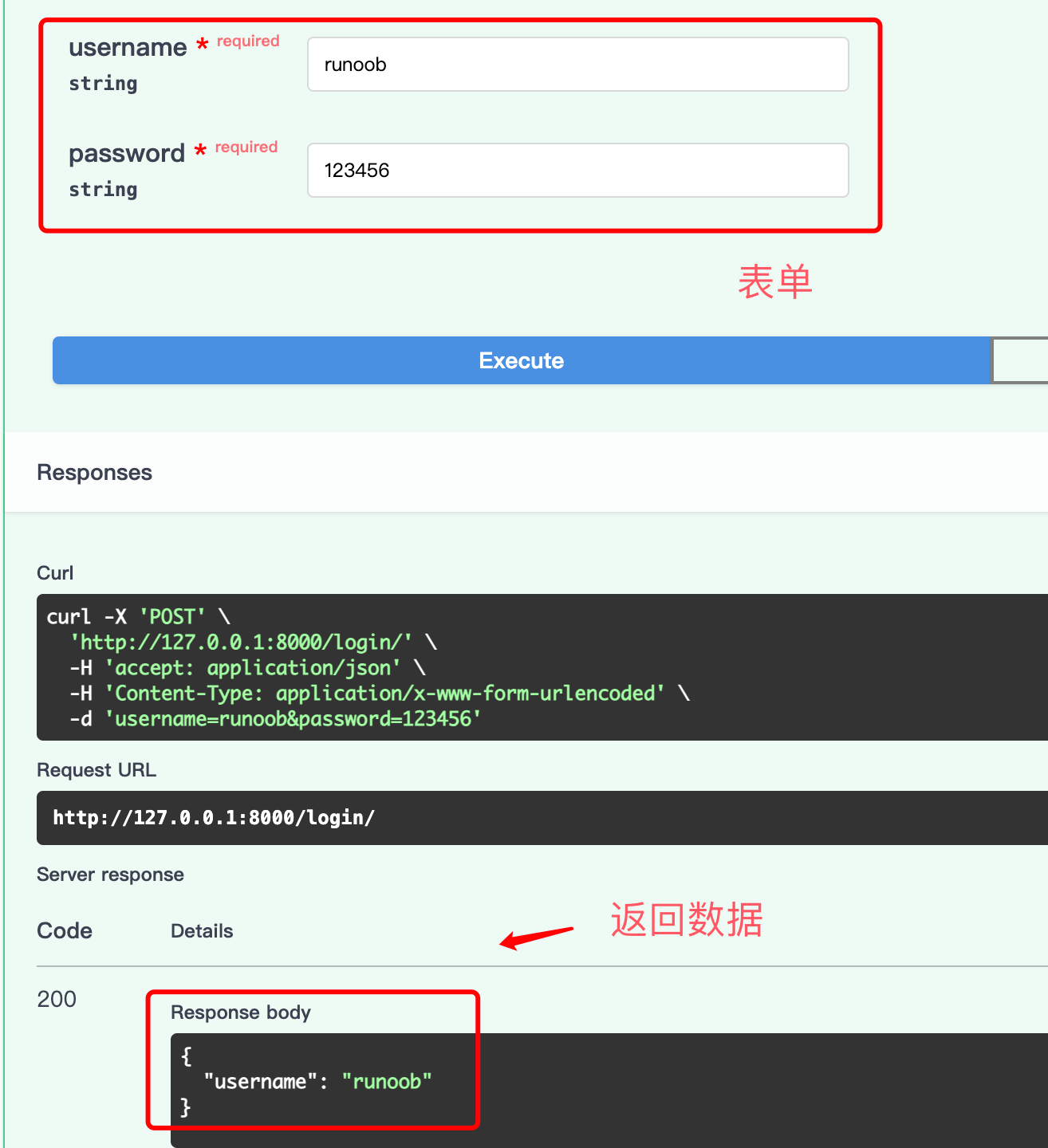
当客户端通过 HTML 表单(application/x-www-form-urlencoded)提交数据时,需要使用 Form 来接收表单字段,而不是 BaseModel。
安装 python-multipart
使用表单功能前,需要先安装 python-multipart:
pip install python-multipart
接收表单数据
使用 Form 声明表单字段:
实例
from fastapi import FastAPI, Form
app = FastAPI()
@app.post("/login/")
async def login(
username: str = Form(), # 必填表单字段
password: str = Form(), # 必填表单字段
):
return {"username": username}
app = FastAPI()
@app.post("/login/")
async def login(
username: str = Form(), # 必填表单字段
password: str = Form(), # 必填表单字段
):
return {"username": username}
表单字段与 JSON 请求体的区别
| 对比项 | JSON 请求体 | 表单数据 |
|---|---|---|
| Content-Type | application/json | application/x-www-form-urlencoded |
| 声明方式 | Pydantic BaseModel | Form() |
| 数据结构 | 支持嵌套对象和数组 | 扁平的键值对 |
| 适用场景 | API 接口(前后端分离) | HTML 表单提交 |
表单数据以"字段"的形式发送,不是 JSON。因此不能将
Form参数声明为 Pydantic 模型。表单字段和 JSON 请求体不能在同一个路由中同时使用。
可选表单字段
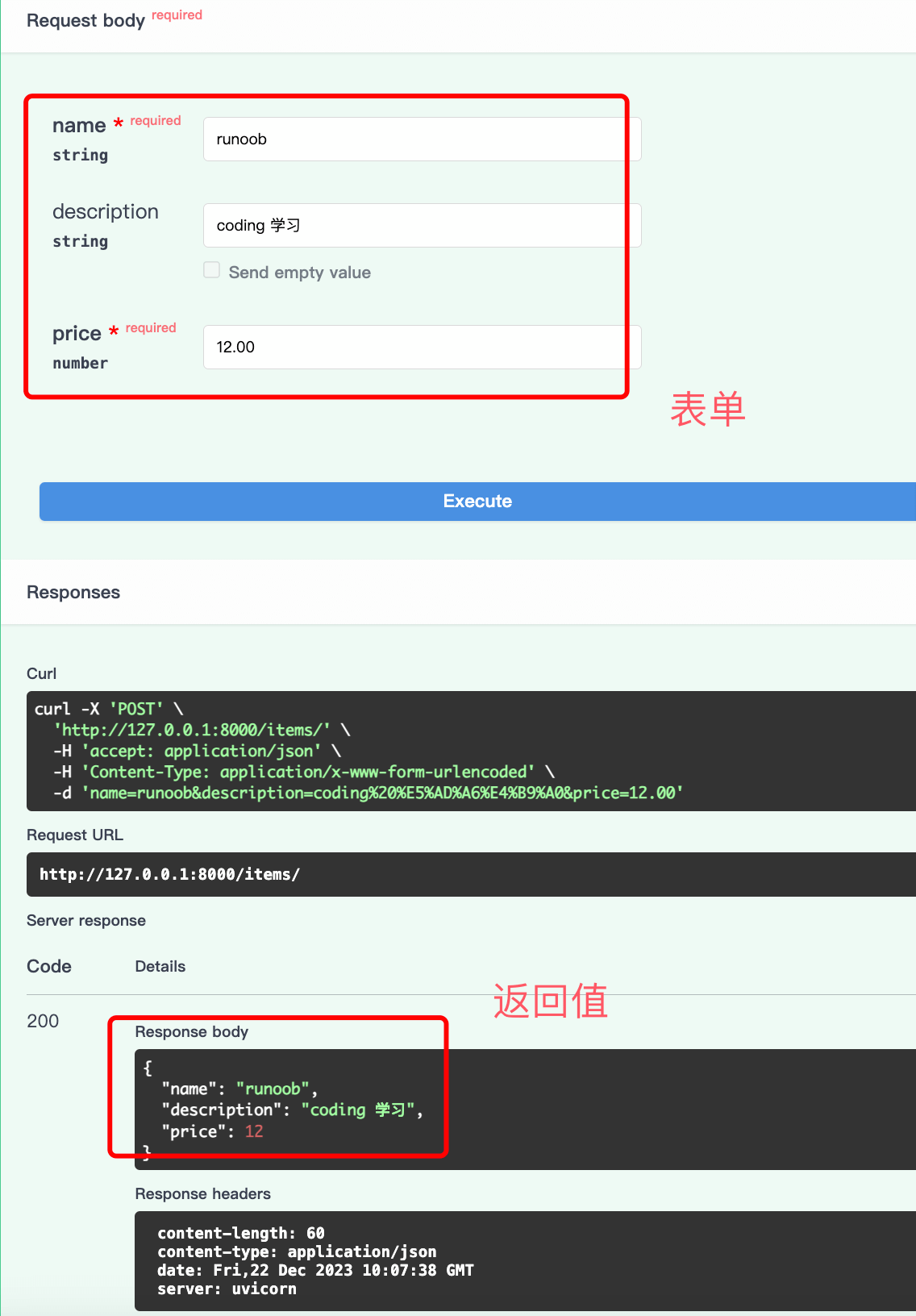
与查询参数类似,有默认值的表单字段是可选的:
实例
from fastapi import FastAPI, Form
app = FastAPI()
@app.post("/items/")
async def create_item(
name: str = Form(...), # 必填
description: str | None = Form(None), # 可选,默认 None
price: float = Form(..., gt=0), # 必填,必须大于 0
):
return {"name": name, "description": description, "price": price}
app = FastAPI()
@app.post("/items/")
async def create_item(
name: str = Form(...), # 必填
description: str | None = Form(None), # 可选,默认 None
price: float = Form(..., gt=0), # 必填,必须大于 0
):
return {"name": name, "description": description, "price": price}
使用 HTML 表单测试
你可以创建一个 HTML 页面来测试表单提交:
实例
<form action="http://localhost:8000/items/" method="post">
<label for="name">Name:</label>
<input type="text" id="name" name="name" required>
<br>
<label for="description">Description:</label>
<textarea id="description" name="description"></textarea>
<br>
<label for="price">Price:</label>
<input type="number" id="price" name="price" required min="0">
<br>
<button type="submit">Submit</button>
</form>
<label for="name">Name:</label>
<input type="text" id="name" name="name" required>
<br>
<label for="description">Description:</label>
<textarea id="description" name="description"></textarea>
<br>
<label for="price">Price:</label>
<input type="number" id="price" name="price" required min="0">
<br>
<button type="submit">Submit</button>
</form>
表单数据的校验和文档
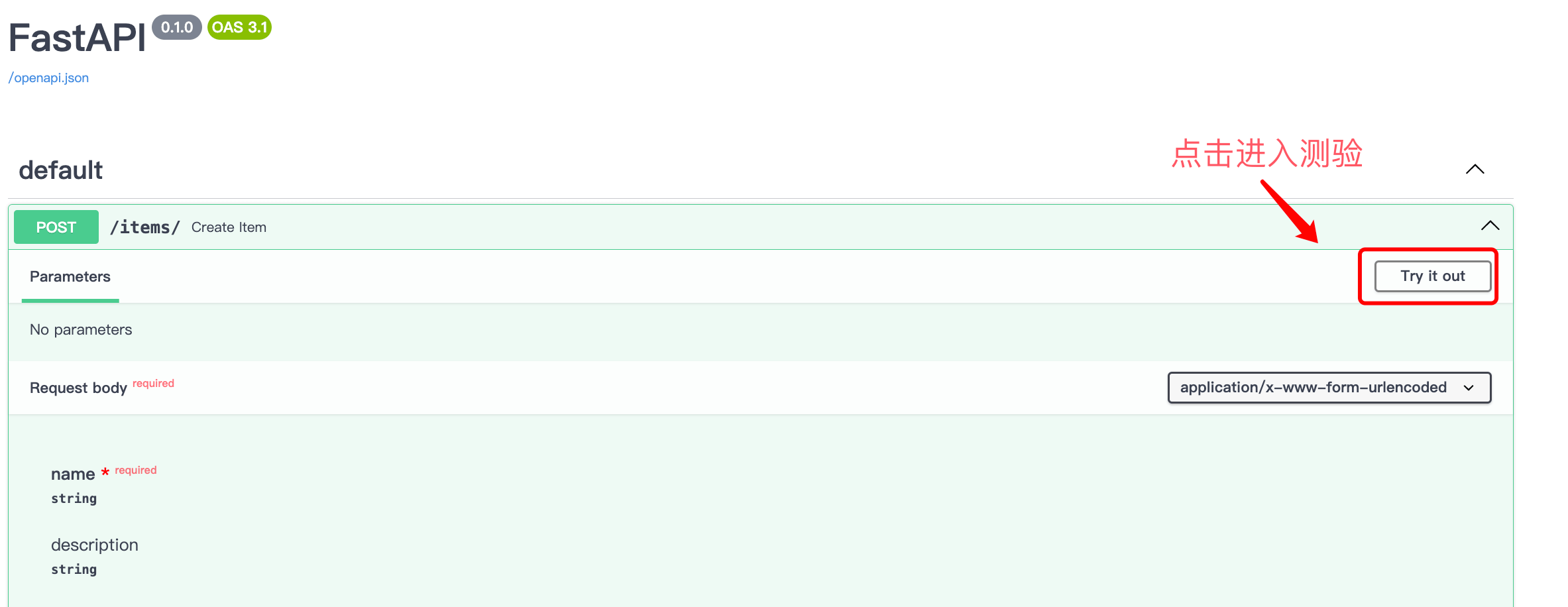
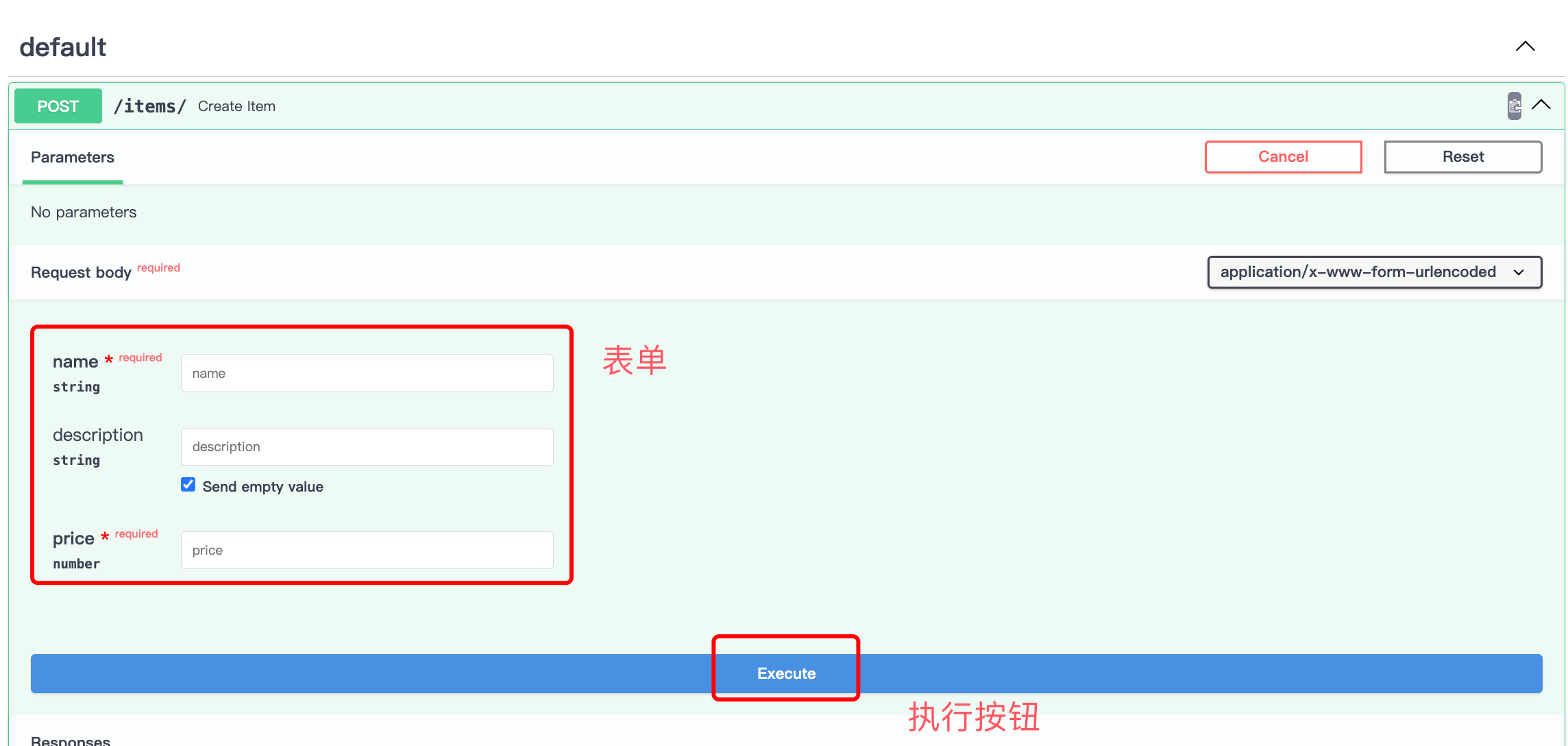
使用 Form 声明的字段,FastAPI 会自动进行数据校验并在 API 文档中展示:
小结
- 使用
Form接收 HTML 表单提交的数据 - 表单数据不是 JSON,不能与
BaseModel请求体混用 Form()声明必填字段,Form(None)声明可选字段- 需要安装
python-multipart包 - 表单字段支持与查询参数相同的校验规则(
min_length、gt等)